

Start with the story.
Review AI script suggestions, keep the phrasing you like, and change anything that needs your expertise.
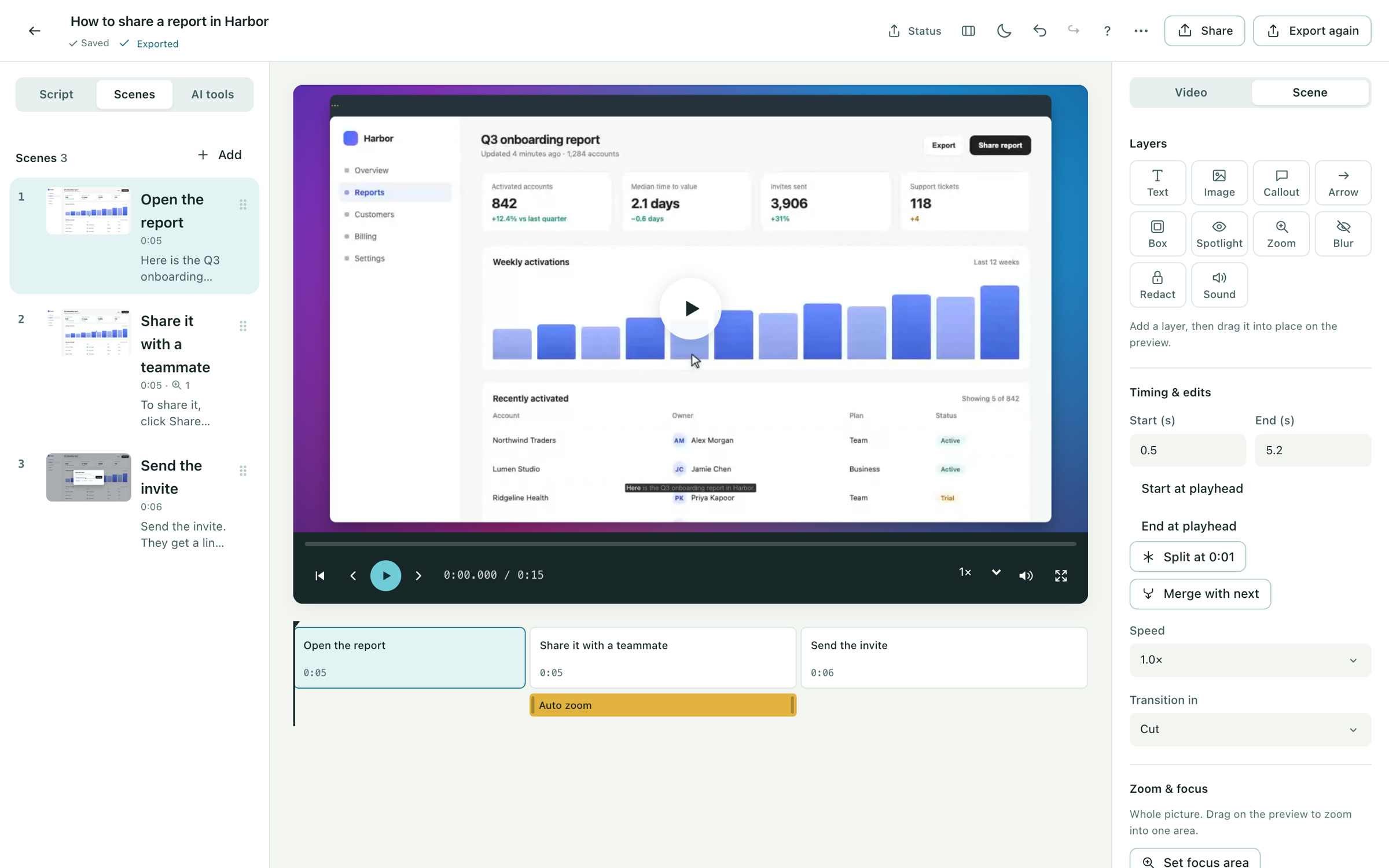
Turn a rough recording into a finished product video. Refine the words, tidy the pacing, and put every scene in its place.
Review AI script suggestions, keep the phrasing you like, and change anything that needs your expertise.
Trim long pauses and filler words. Split, merge and reorder scenes so each step has room to make sense.
Add captions, zooms, music and brand styling. Preview the result before you export or publish.
Record a walkthrough, upload a video, or start from slides.
Work through the script and scenes, then choose the voice and visual treatment.
Preview the finished sequence and export an MP4 or publish a watch link.
Script refinement and prompt edits offer changes for you to review before applying them. You can continue editing the words, scenes and styling yourself.
Every plan includes AI captions, script refinement and OpenAI narration within a monthly allowance. Studio adds pay-as-you-go AI with a prepaid balance, premium voices, translation and generated scenes. Studio Connect uses your own provider keys.
Free to start. No video team required.