
Capture the context.
Pick a tab, window or screen. Add your camera as a small bubble and your microphone for the explanation.
Record the screen you want to explain, add your camera when a face helps, and talk it through. A rough first take is all Breezier needs.
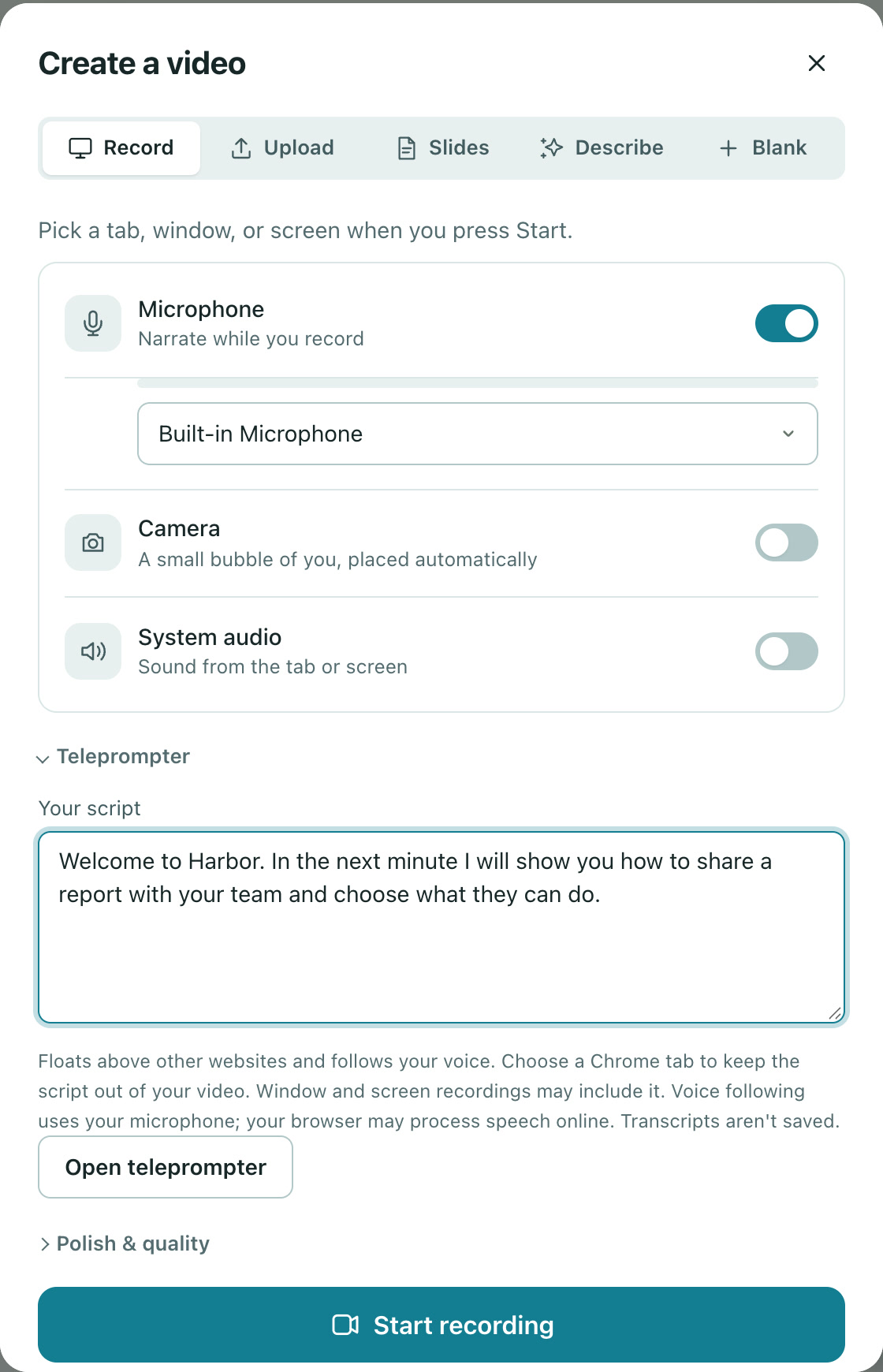
Pick a tab, window or screen. Add your camera as a small bubble and your microphone for the explanation.
A pause or a wrong turn does not mean starting over. Trim the recording and refine the words in the editor.
Upload an existing recording or a slide deck, or describe the video and let Breezier draft it.
Select the screen, window or tab you want to capture and check your microphone.
Show the task from start to finish. Leave the polishing for the next step.
Arrange scenes, refine the script and add the details that help viewers follow along.
Yes. Upload an existing video instead of making a new recording, then edit it in Breezier.
No. You can trim footage, work on the script, and use AI narration when you want to replace the recorded explanation. Every plan includes a monthly AI allowance.
Free to start. No video team required.