



Always within sight.
Float your script above the website you are presenting. Move the window wherever it is comfortable to read.
Keep your script in view while you record. Breezier's floating Teleprompter follows your voice, so you can pause, breathe and explain at your own pace.
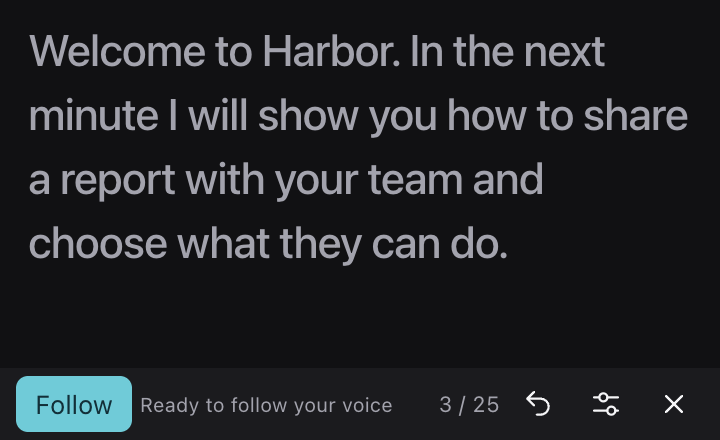
Actual Teleprompter. Example script.
Float your script above the website you are presenting. Move the window wherever it is comfortable to read.
Click a word to choose your place, use the arrow keys to move, or restart the script. Rehearse before you begin recording.
Adjust the text size and speech language. Pause or finish a recording from the floating window.
Open Teleprompter in the recorder and write or paste what you want to say.
Open the floating window, choose your speech language, and enable Follow with microphone access.
Choose a browser tab to keep the script out of the video. Speak naturally and let the script follow along.
The floating window requires a recent desktop version of Chrome or Edge. Voice following also needs browser speech recognition and microphone access. When speech following is unavailable, you can navigate the script manually.
Choose a browser tab as your recording source to keep the floating script out of the video. Recording a window or the entire screen may include the Teleprompter.
No. Voice following uses recognized speech to track your place. It waits during pauses. You can also click a word or use the arrow keys to move through the script.
Scripts and recognized transcripts are not saved by Breezier. Keep a copy of your script before reloading. Your browser may process speech online; text size and speech-language preferences are saved locally.
Free to start. No video team required.